Garmin Watch Data Screen · Version 1.1.7

ARTILLIS

BACKBY

Smart return guidance that uses your route, pace and terrain to help you arrive back at your starting point by the time you choose.

View on Garmin Connect IQ
PlatformGarmin watches
Current version1.1.7
Ideal forReturn-time planning
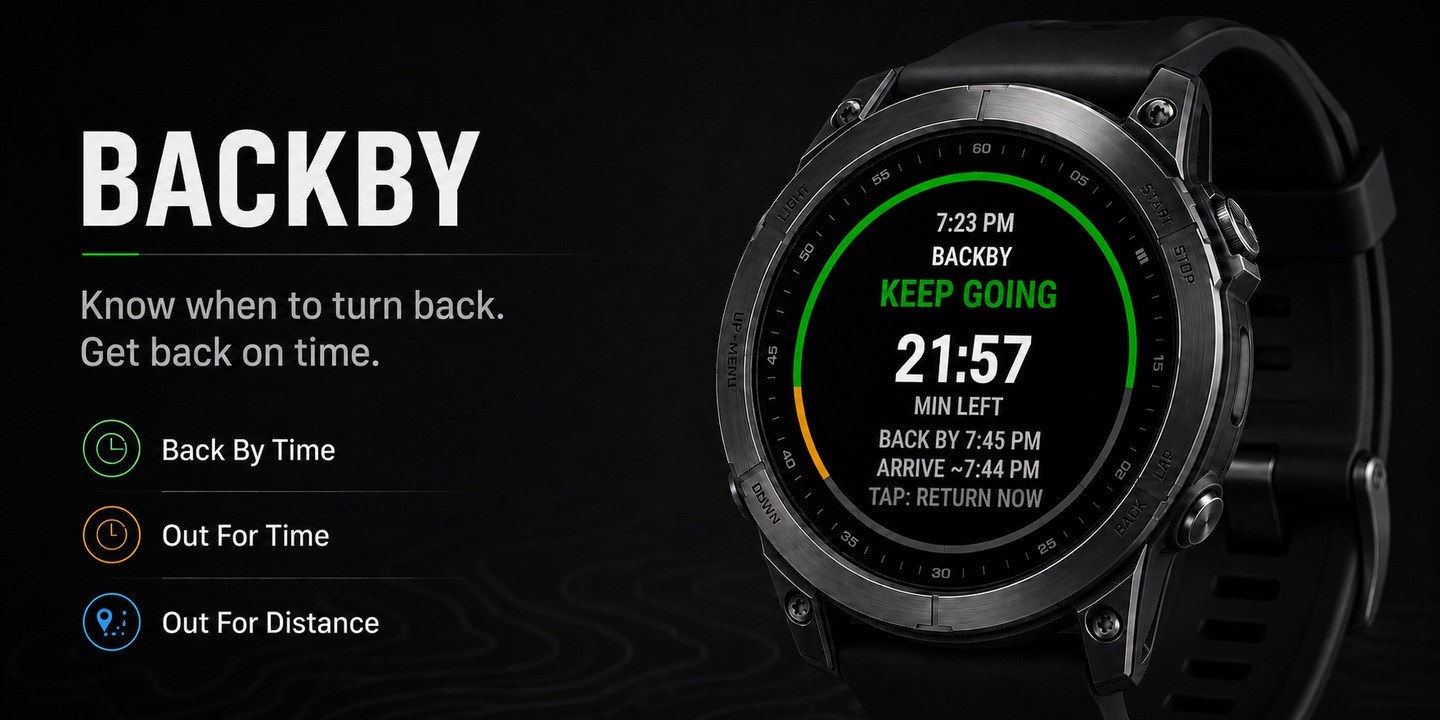
BACKBY Garmin app hero image

Overview

BACKBY is a practical Garmin data screen for walks, hikes, runs and rides where you want to know when to turn back. It now uses the route you have travelled together with live pace and elevation information to produce a more realistic return estimate. It is not simply a halfway timer: the guidance adapts as your outing develops.

Key features

Back By Time

Choose the clock time you need to be back and compare your fixed target with the live predicted arrival time.

Out For Time

Set your total outing duration and let BACKBY calculate when you should turn around to finish on schedule.

Out For Distance

Choose a total distance and receive clear guidance as your distance-based turnaround point approaches.

Course-aware return

When suitable course or travelled-route information is available, BACKBY estimates the journey home along the route instead of relying only on straight-line distance.

Elevation-aware timing

Uphill and downhill movement is considered so the return estimate can better reflect the terrain between you and the start.

Clear live guidance

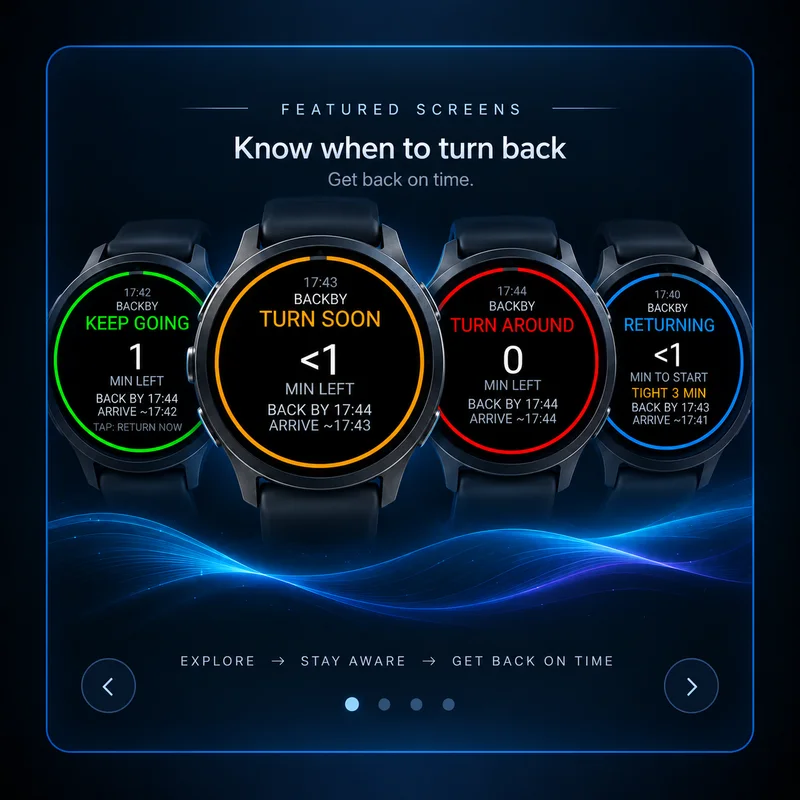
KEEP GOING, TURN SOON, TURN AROUND and RETURNING states show what to do, while ahead or behind information shows whether you remain on schedule.

Best for

  • Walks and hikes where hills can change the time needed to return
  • Runs or rides with a firm return time or distance target
  • Out-and-back routes and outings where you want adaptive guidance instead of a simple halfway alert
Garmin compatibility

Check the Garmin Connect IQ Store listing for the current compatible-device list and any device-specific details.

Need help? Email .

← Back to all apps

SETUP & INSTRUCTIONS

Getting started

Setup

Install and configure

  1. Install BACKBY from the Garmin Connect IQ Store on your compatible Garmin watch.
  2. Open the activity you want to use BACKBY with and add BACKBY as a data screen / data field where your watch allows it.
  3. Before starting the activity, open the activity settings, scroll to CONNECT IQ FIELDS, select BACKBY and choose a Goal Mode.
  4. Set your target before you start the activity so the return guidance has a clear goal from the beginning.
Access

How to find it on your Garmin

  1. Start the Garmin activity you normally use for the outing — for example walking, hiking, running or cycling.
  2. Scroll through your activity data screens until you reach BACKBY.
  3. If BACKBY is not visible, edit the activity data screens on the watch and add it to the activity first.
Instructions

How to use it

  1. Back By Time: set the clock time you want to be back.
  2. Out For Time: set the total amount of time you plan to be out.
  3. Out For Distance: set the total distance you plan to cover.
  4. Watch the colour/status guidance as you travel outward. Green means you are comfortably on track, amber means the turnaround point is getting close, and red means it is time to head back.
  5. BACKBY updates its estimate as it learns your movement, travelled route and terrain. Allow GPS and pace data to settle early in the activity.
  6. Once you are returning, use the predicted arrival, return progress and ahead/behind information to judge whether you are still on schedule.
Help

Troubleshooting

  • If the screen never changes after the turnaround point, make sure you are using the latest store version.
  • If alerts or vibration are enabled but you do not feel them, check the watch system sound/vibration settings as well as BACKBY settings.
  • If the time or distance looks wrong, confirm the chosen mode and units before starting the activity.
  • For best results, wait for a good GPS lock and let the activity establish movement, route and elevation data before relying on the first return estimate.
  • Terrain and course awareness improve the estimate but do not replace normal navigation or your own judgement.