Garmin Watch Activity · Version 1.0.4

ARTILLIS

MoveWell

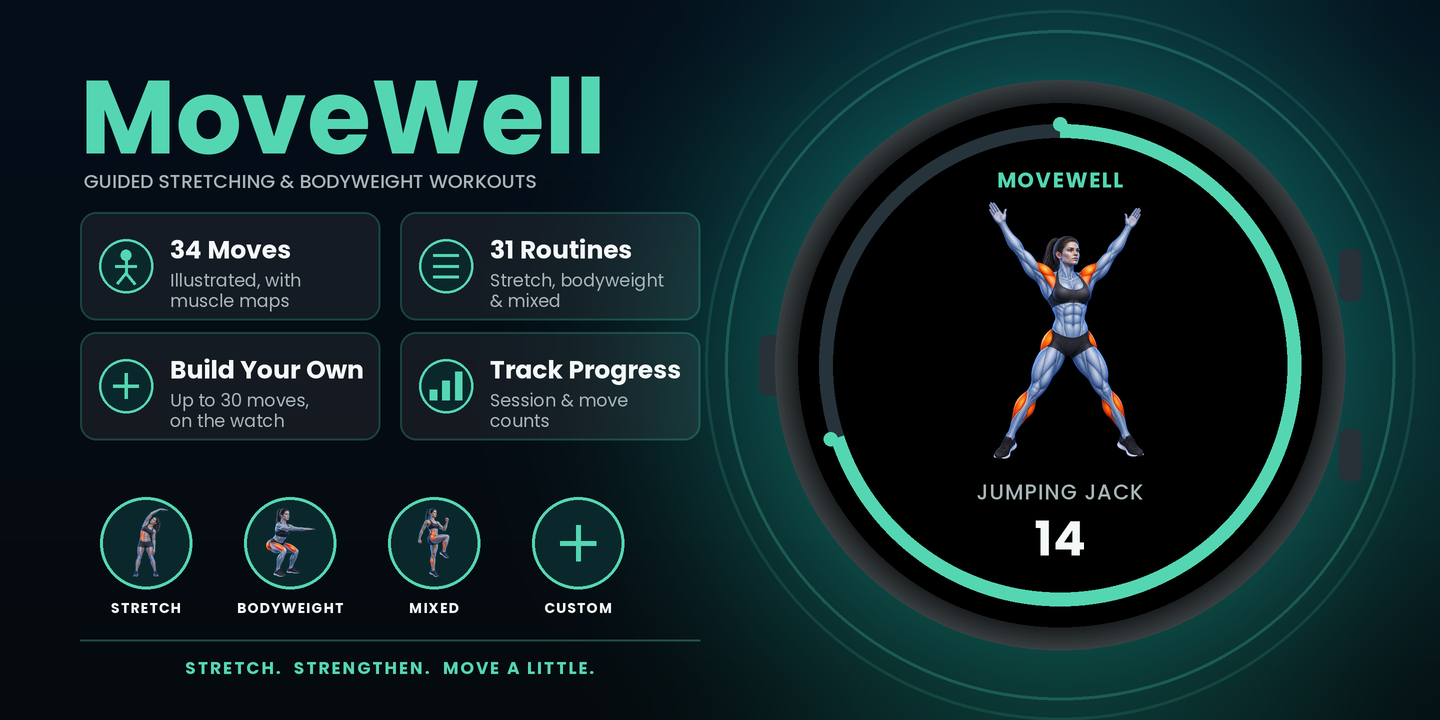
Stretch, strengthen and practise yoga with guided routines on your Garmin watch, complete with clear illustrations, custom rounds and activity recording.

View on Garmin Connect IQ
PlatformGarmin watches
Current version1.0.4
Ideal forMovement and fitness
MoveWell guided fitness Garmin watch app

Overview

MoveWell puts guided stretching, bodyweight exercise and yoga on your wrist. Choose a ready-made session or build a custom routine of up to 30 moves, then follow each movement using clear anatomical illustrations, simple cues, timed holds, manual repetition counting and rest guidance. Custom routines can repeat for 1–5 rounds, and completed sessions can be saved and synced to Garmin Connect.

Where to find MoveWell on your watch

MoveWell records and saves a Garmin FIT activity. Because of this, it appears in your watch’s Activities list rather than the Apps list. Open Activities, scroll to the 4-dot / More section if needed, then select MoveWell. You can add it to your favourites from there.

Choose how you want to move

Stretching

Guided mobility and stretching sessions for quick breaks, warm-ups, recovery and full-body movement.

Bodyweight

Strength and conditioning sessions using movements such as squats, press-ups, planks, lunges and core exercises.

Mixed routines

Sessions combining stretching, mobility and bodyweight exercises in one guided routine.

Yoga

Follow a built-in gentle flow with 15 yoga poses and newly framed illustrations designed to stay clear and readable on round watch screens.

Custom routine

Build and save your own session with up to 30 movements, adjust each move and repeat the full sequence for 1–5 rounds.

Key features

31 ready-made sessions

Choose from a broad collection of Stretching, Bodyweight and Mixed routines for different needs and available time.

49 illustrated movements

Explore a 49-move library, including 15 yoga poses, with clear anatomical artwork and improved framing across supported screen sizes.

Animated demonstrations

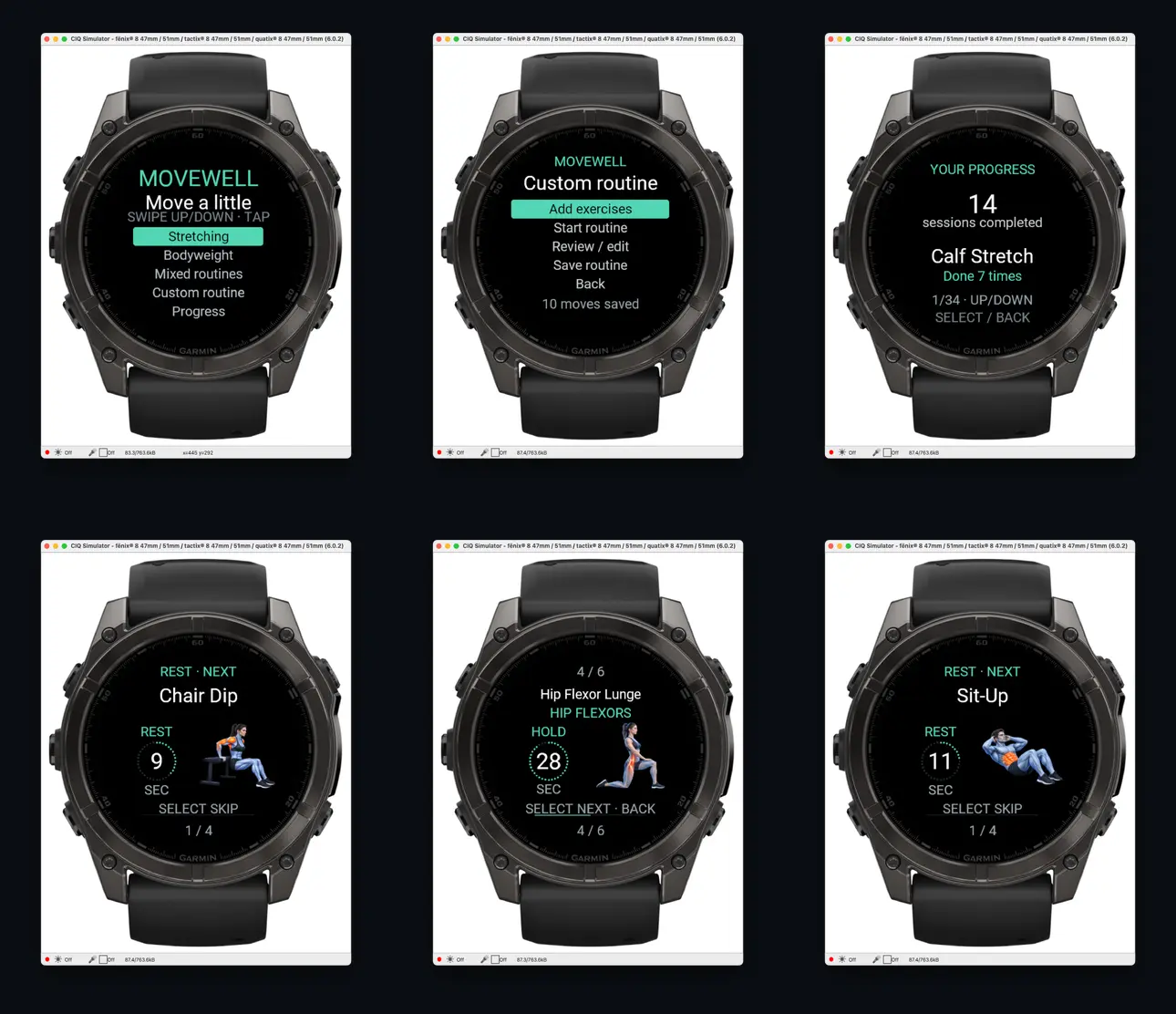
Rep-based exercises show looping pose demonstrations, while the second half of a rest previews the next movement’s two key positions.

Flexible session controls

Count repetitions at your own pace, move forwards through a workout, skip a rest, or pause and end a session when needed.

Progress tracking

See completed-session totals and individual exercise counts, with an on-watch option to reset your statistics.

Save to Garmin Connect

Save completed or partial sessions as FIT activities. Stretching uses Flexibility Training, bodyweight uses Strength Training, and mixed or custom sessions use Training.

Adjustable defaults

Change default hold times, repetition targets and rest times from the watch or through Connect IQ settings.

Touch and button support

Use swipe and tap on touchscreen watches, or Up, Down and Select on compatible button-operated watches.

No subscription

MoveWell is a one-time purchase with no recurring subscription needed.

Best for

  • Short movement breaks during the day
  • Guided stretching, mobility and bodyweight sessions
  • Home, travel or anywhere you want a watch-guided routine
  • Creating a reusable personal routine without needing your phone during the session
  • Garmin users who prefer clear visual guidance instead of an audio workout
Garmin compatibility

Check the Garmin Connect IQ Store listing for the current compatible-device list and any device-specific details.

Need help? Email .

← Back to all apps

SETUP & INSTRUCTIONS

Getting started

Setup

Install and configure

  1. Install MoveWell from the Garmin Connect IQ Store using the button above.
  2. Allow the watch a moment to sync and refresh its Activities list.
  3. Open MoveWell once so it can initialise and create its saved settings and progress data.
  4. Choose Stretching, Bodyweight, Mixed, Yoga or Custom routine.
  5. If wanted, open Settings in MoveWell to change the default hold time, repetition target and rest time.
Access

Find it under Activities

  1. Open your Garmin watch’s Activities list — do not look in Apps.
  2. MoveWell is listed as an activity because it records and saves workout data as a FIT file.
  3. If it is not among your favourite activities, scroll to the 4-dot / More section and select MoveWell there.
  4. Use the watch’s activity-management options if you want to add MoveWell to favourites or move it higher in the list.
Controls

Touchscreen and buttons

  • Touchscreen: swipe up or down to move through lists, then tap the highlighted item to select it.
  • Button watches: use Up and Down to move, then press Select / Start to open the highlighted item.
  • During rep exercises: swipe up or press Up to add a repetition; swipe down or press Down to subtract one.
  • Tap or Select: finish the current move or skip the current rest.
  • Back during a session: pauses the workout. Press Back again while paused to end the session and return Home.
  • Back from Home: exits MoveWell and returns to the watch face.
Instructions

Start a ready-made routine

  1. Open MoveWell and choose Stretching, Bodyweight or Mixed routines.
  2. Scroll through the available sessions and select one to see its overview.
  3. Select again to begin, then follow the movement name, cue, illustration and progress display.
  4. Timed stretches and holds count down automatically. Repetition exercises are completed at your own pace and counted manually.
  5. Rest screens show what is coming next, including a two-pose preview for rep-based exercises during the second half of the rest.
  6. When the routine is complete, review the completion screen and return Home.
Custom routine

Build your own session

  1. Choose Custom routine from the MoveWell Home screen.
  2. Select Add exercises, browse the 49-move library and add up to 30 movements.
  3. Use the review/edit option to change repetitions or hold time, adjust rest, reorder a movement or remove it.
  4. Choose how many times the full routine repeats, from 1–5 rounds.
  5. Save the routine. It remains stored on the watch for future use, with Start routine directly below Add exercises.
Help

Troubleshooting

  • MoveWell is installed but not visible: look in Activities, not Apps. Check the 4-dot / More section, then sync or restart the watch if needed.
  • Touch does not move through the menu: use a vertical swipe rather than dragging, or use the watch buttons where available.
  • Repetitions do not advance automatically: this is intentional. Count reps using Up / swipe up so you can exercise at your own pace.
  • Back appears to pause instead of exit: during a session the first Back opens Resume, Save or Discard. From the Home screen, Back exits MoveWell.
  • Artwork looks different on a smaller watch: MoveWell uses device-appropriate image sizes so the same routines remain compatible across supported displays.
  • Your custom routine is empty: add at least one movement before selecting Start routine.