Garmin Edge Data Field · Version 1.0.8

ARTILLIS

RACEWISE EDGE

Ride to a plan, not guesswork. Set your ride distance and goal time, then get clear full-screen strategy guidance, live finish prediction and the ride metrics you choose.

View on Garmin Connect IQ
PlatformGarmin Edge
CategoryData Field
Current version1.0.8
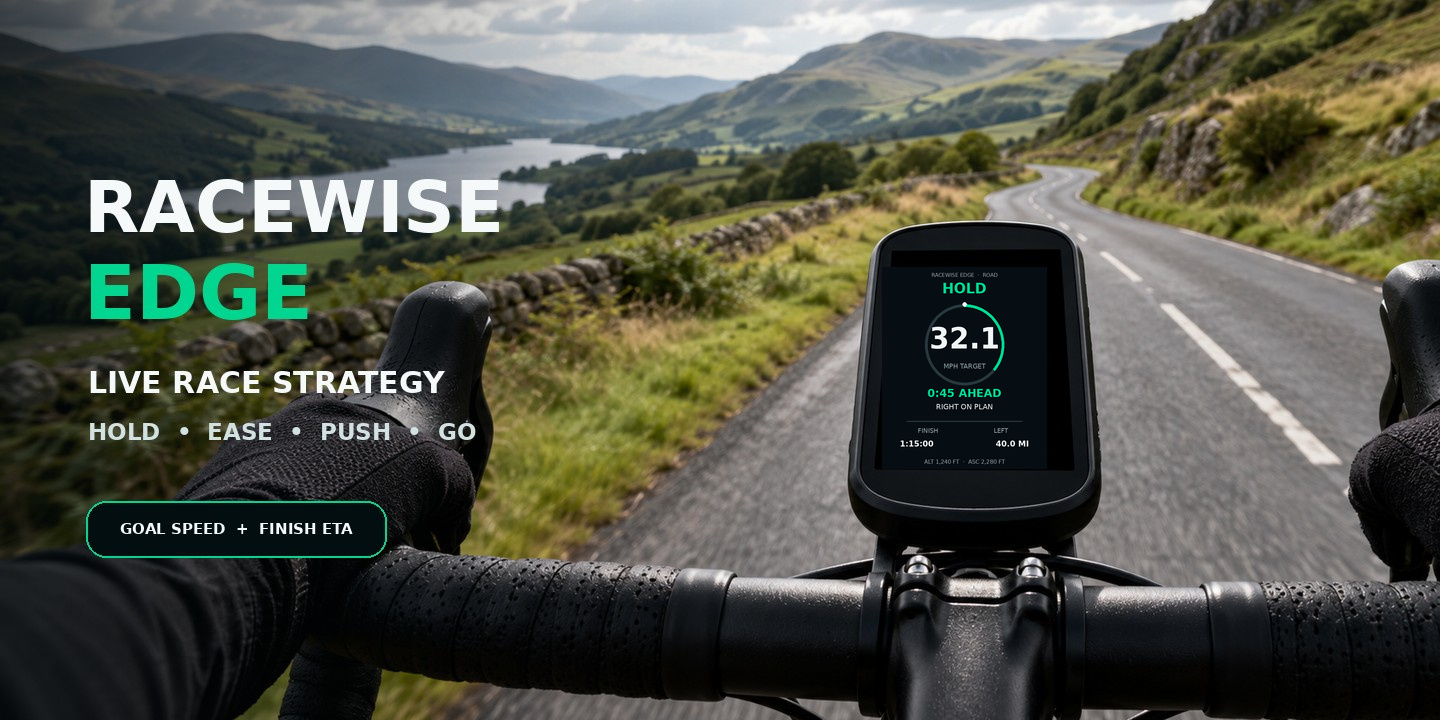
RACEWISE EDGE live ride strategy for Garmin Edge cycle computers

Overview

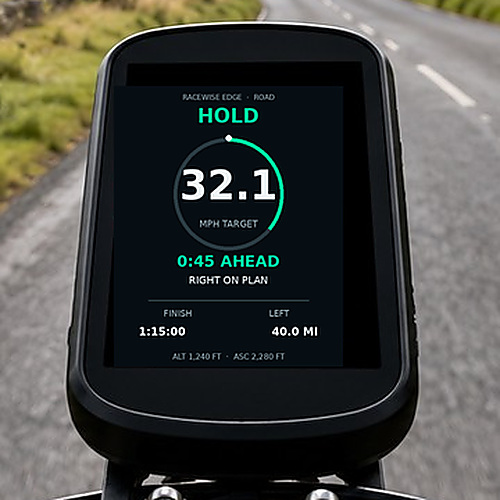
RACEWISE EDGE turns your compatible Garmin Edge into a live ride strategist. It compares your progress with the distance and finish time you set, then shows the speed needed to stay on plan, your predicted finish, whether you are ahead or behind, and clear guidance for what to do next.

RACEWISE EDGE is one full-screen Connect IQ data field. Add it to its own one-field data page; it cannot share that page with other data fields.

Key features

HOLD, EASE, PUSH or GO

Simple strategy states tell you whether to maintain your effort, conserve energy, recover lost time or finish strongly.

Speed at a glance

Current Speed and Avg Speed now form the lower row on compact and larger displays, with clearer spacing, larger values and improved unit labels.

Choose your side metrics

Select the left and right readings independently, including speed, average speed, elapsed time, distance left, predicted finish, altitude, ascent, gradient, cadence, heart rate and power. Auto defaults to cadence and heart rate.

Built for long rides

Set custom distances up to 9,999.9 miles or kilometres and goal times up to 99 hours. Time can be shown as total minutes or colon-separated hours and minutes.

Clear on every screen

Compact screens gain larger finish, distance, speed and sensor readings, while larger screens gain stronger target-speed and side-metric visibility plus a wide distance-progress bar.

Course & elevation aware

When course elevation data is available, RACEWISE EDGE can account for climbs when calculating its live pacing guidance.

Road, gravel & MTB

Ride type can follow the Edge activity profile automatically or be selected manually, with more conservative off-road pacing where appropriate.

Settings on Edge or Connect IQ

Configure ride goals, pacing, colours, display precision, time format, distance delay and side metrics in Connect IQ or directly through supported on-device setup.

Best for

  • Sportives, time-based rides and personal challenges with a target finish time
  • Riders who want clear pacing guidance without doing calculations on the bike
  • Road, gravel and mountain-bike routes where terrain can change the effort required
  • Using a Garmin Course so route and elevation information can improve the strategy
Garmin compatibility

Designed for compatible Edge 530, 540, 550, 830, 840, 850, 1030, 1030 Plus, 1040, 1050, Explore 2 and Edge MTB devices. Check the Garmin Connect IQ Store listing for the current device list.

Need help? Email .

← Back to all apps

SETUP & INSTRUCTIONS

Getting started

Setup

Install and configure

  1. Install RACEWISE EDGE from the Garmin Connect IQ Store on a compatible Edge device.
  2. Open the cycling activity profile you want to use and create a data page with a single full-screen field.
  3. Select RACEWISE EDGE as that field. It is a complete data screen and cannot share its page with other fields.
  4. Open its settings on the Edge or in Connect IQ, then enter your ride distance, goal time and pacing strategy.
  5. Optionally choose the left and right side metrics, average-speed precision, time format, colours and alerts.
Course

Use a Garmin Course

  1. Load the course you intend to ride before starting the activity.
  2. Start navigation for that course so RACEWISE EDGE can use available route and elevation information.
  3. Leave Ride Type on Auto to follow your activity profile, or choose Road, Gravel or Mountain Bike manually.
  4. Start the cycling activity normally; Garmin continues recording your ride as usual.
Instructions

Follow the strategy

  1. HOLD means your current pacing is on plan.
  2. EASE means you can conserve some effort without putting the goal at risk.
  3. PUSH means more pace is needed to bring the predicted finish back towards your target.
  4. GO appears for the finishing phase when it is time to use what you have left.
Help

Troubleshooting

  • If RACEWISE EDGE does not appear, confirm it has been added as the only field on a full-screen page in the exact activity profile you are starting.
  • If settings have not changed, save and sync them before starting the ride, or check the supported on-device setup menu.
  • For course/elevation-aware guidance, make sure a Garmin Course is loaded and navigation has started.
  • Early predictions can change as GPS, speed and course data settle during the opening part of the ride.