Garmin Edge Data Field · Version 2.0.0

ARTILLIS

Multi Activity Popup Reminder

A simple reminder tool for compatible Garmin Edge cycle computers, designed to show useful prompts when an activity starts.

View on Garmin Connect IQ
PlatformGarmin Edge cycle computers
Current version2.0.0
Ideal forPre-ride reminders
Multi Activity Popup Reminder Edge hero image

Overview

This Edge version is built for riders who want a prompt right at the beginning of an activity. It is ideal for quick checks and reminders before you get going, helping you remember the small but important things before or during a ride setup.

Key features

Made for Edge

Designed specifically for compatible Garmin Edge cycle computers.

Different reminders by activity

Useful when different ride types call for different prompts or checks.

Simple start-of-activity prompts

Keeps reminders visible at the moment they matter most.

Practical use

Good for pre-ride checks, notes, or routine reminders you do not want to forget.

Best for

  • Cyclists using Garmin Edge devices
  • Pre-ride checklist prompts
  • Different reminders for different ride contexts

ALSO AVAILABLE FOR GARMIN WATCHES

Want the same idea on your wrist?

If you also use a compatible Garmin watch, the paid Multi Activity Popup Reminder – Watch version brings activity-start reminders directly to your watch.

Made for Garmin watches

Use activity reminders directly on compatible Garmin watches instead of an Edge cycle computer.

On-wrist popup reminders

Get your chosen reminder when you start a supported watch activity.

Useful across activities

Ideal for repeated checks and prompts for walks, runs, rides, hikes and other supported activity types.

Separate paid watch version

The watch edition is a separate Connect IQ download designed specifically for compatible Garmin watches.

Garmin compatibility

Check the Garmin Connect IQ Store listing for the current compatible-device list and any device-specific details.

Need help? Email .

← Back to all apps

SETUP & INSTRUCTIONS

Getting started

Setup

Install and configure

  1. Install Multi Activity Popup Reminder (Edge version) from the Connect IQ Store onto your compatible Garmin Edge.
  2. Add the data field to the activity profile(s) where you want reminders to run.
  3. Open the Connect IQ settings for the data field and enter the reminder text you want for each supported activity type.
  4. Save the settings and sync them to the Edge before your next ride.
Access

How to find it on your Garmin

  1. On the Edge, open the activity profile you normally use.
  2. Go to the profile data-screen settings and add the Multi Activity Popup Reminder data field.
  3. The field does not need to occupy a large permanent screen; its main job is to show the configured reminder when the trigger occurs.
Instructions

How to use it

  1. Start the activity as normal.
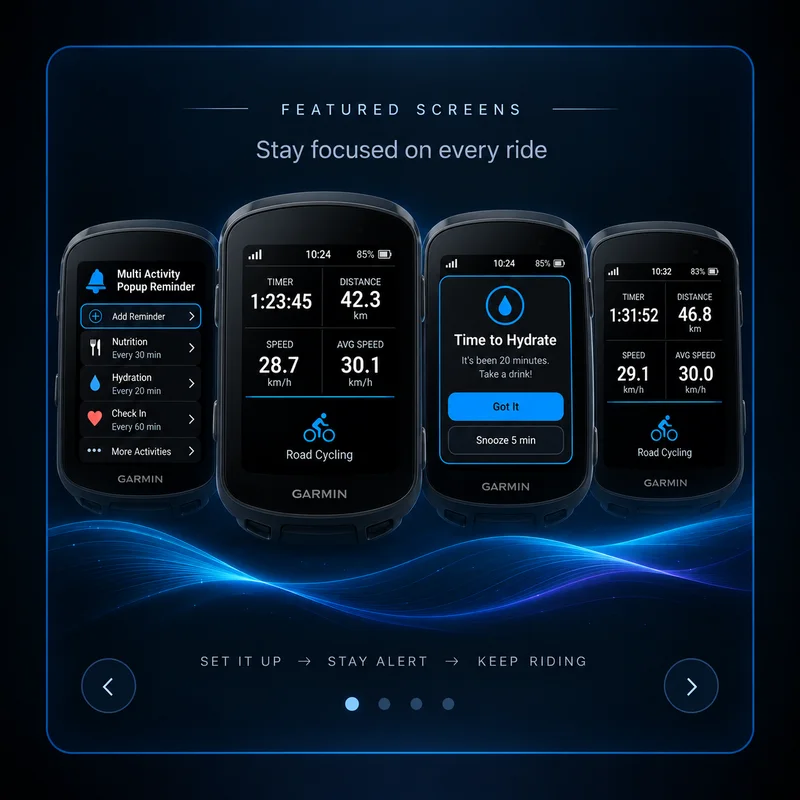
  2. When the configured trigger occurs, the reminder appears with the message you set for that activity type.
  3. Use different messages for different sports / activity profiles where supported.
  4. Typical uses include pre-ride checks, equipment reminders, route notes or anything you regularly forget before setting off.
Help

Troubleshooting

  • If no popup appears, first confirm the data field is actually added to that activity profile.
  • Check that the reminder text has been saved in Connect IQ settings and synced to the Edge.
  • If you changed settings while the Edge was disconnected, sync again before testing.
  • This listing is the Edge version; do not install the watch version expecting it to appear on an Edge cycle computer.